

Telkom Indonesia – Enterprise Dashboard Visualization System
Developed enterprise-grade operational dashboards for the Regional Enterprise and Government Service (REGS) division during an internship at Telkom Indonesia. Replaced manual spreadsheet workflows with a Looker Studio LOP dashboard and an interactive web-based LOB dashboard integrated with Google Sheets API, Firebase, and Google Cloud — significantly improving data visibility, collaboration, and monitoring efficiency.
From Spreadsheets to Enterprise Dashboards
During my internship at Telkom Indonesia, I was embedded in the Regional Enterprise and Government Service (REGS) division — a unit responsible for managing operational and project data for enterprise and government clients across the region.
The division's existing workflow relied heavily on spreadsheets. While this worked at small scale, it had become a significant operational bottleneck: data was scattered, visualizations were limited, and collaboration was fragile. I was brought in to help design and build better tooling.
Over the course of the internship, I contributed to two major initiatives: a Looker Studio dashboard for List of Project (LOP) data, and an interactive web dashboard for List of Billcom (LOB) data integrated with Google Sheets API, Firebase, and Google Cloud.
Division
REGS — Regional Enterprise & Government Service
Company
Telkom Indonesia (Internship)
Output
2 Production Dashboard Systems
What Was Broken Before
The division's reliance on manual spreadsheet workflows created four compounding operational problems that affected data accuracy, visibility, and security.
Manual Data Entry Errors
Spreadsheet-based workflows introduced consistent human errors during data input and updates, degrading data reliability over time and making reports untrustworthy.
No Effective Visualization
Traditional spreadsheets lacked the visualization capabilities needed for fast interpretation of project and billing data, making trend analysis slow and imprecise.
Weak Version Control and Collaboration
Multiple team members editing separate files created version conflicts, data loss risk, and no clear audit trail — collaboration was brittle.
Limited Data Security
Spreadsheet files shared via email or local drives offered no meaningful access control or audit logging, exposing sensitive operational data.
Responsibilities Across the Full Stack
I was involved across the entire delivery cycle, from understanding the business problem to implementing and iterating on the solution.
Tools and Technologies
Visualization and Data
Backend and Frontend
Two-Track Dashboard Strategy
Each initiative addressed a different data domain with a purpose-built approach.
Initiative 1 — LOP Dashboard
List of Project Dashboard (Looker Studio)
Built a fully interactive reporting dashboard in Looker Studio connected to live Google Sheets data. The LOP dashboard gave the REGS team a single-pane view of all active and historical projects, with visual KPIs, status filters, and trend charts that previously required manual report generation.
Easier Project Monitoring
Real-time project status visible to all stakeholders without manual aggregation.
Visual Reporting
Charts, KPIs, and trend lines replaced static tables, dramatically improving data interpretation speed.
Faster Operational Decisions
Managers could act on data within seconds rather than waiting for a report to be compiled.
Initiative 2 — LOB Dashboard
Interactive Web Dashboard for List of Billcom (LOB)
Designed and built a multi-page web application backed by Google Sheets API and Firebase. The LOB dashboard replaced the most fragile part of the team's workflow — billing status tracking — with a secure, structured, cloud-integrated interface.
Data Flow and System Architecture
The LOB web dashboard was built on a lightweight but scalable architecture connecting Google Sheets as a data source to a Node.js backend and Firebase for security and auth.
Google Sheets
Primary data source
Sheets API
Data retrieval layer
Node.js / Express
Backend API server
Firebase
Auth and security
Web Dashboard
Frontend interface
Data flows from Google Sheets through the API layer, processed by Express, secured via Firebase, and rendered in the web interface.
Interface Showcase
The actual LOB web dashboard views built for the REGS division.
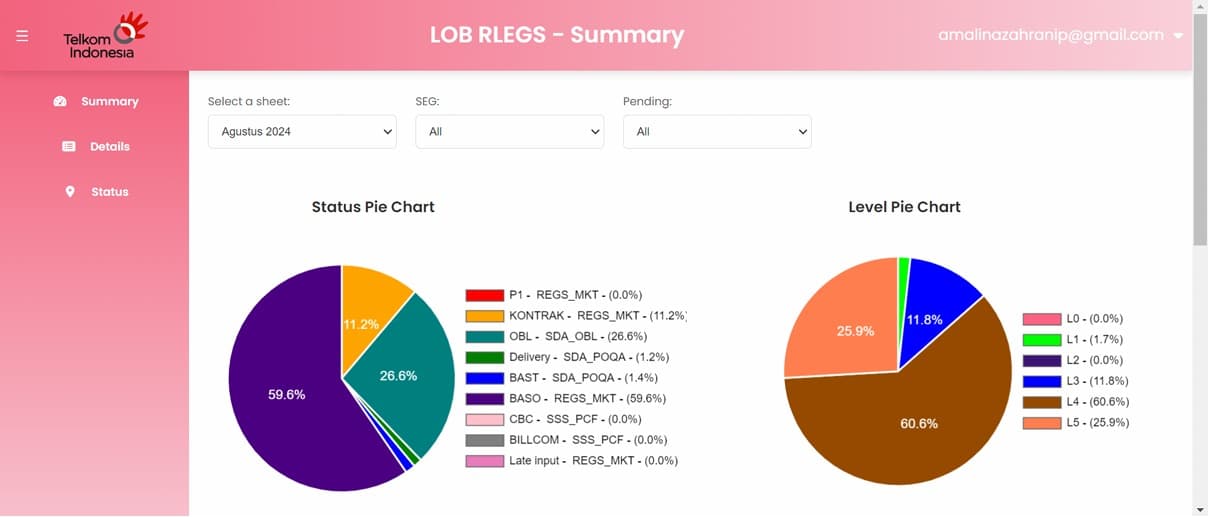
Top-level KPI view showing the status breakdown of projects via responsive pie charts.
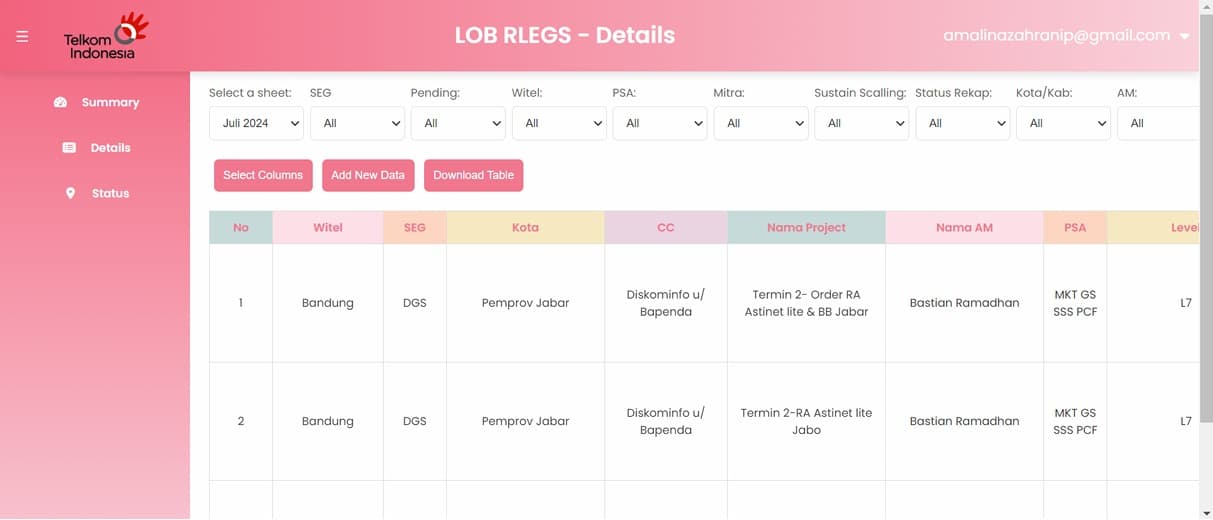
Granular project-level data with dynamic search, parameter filtering, and export capabilities.
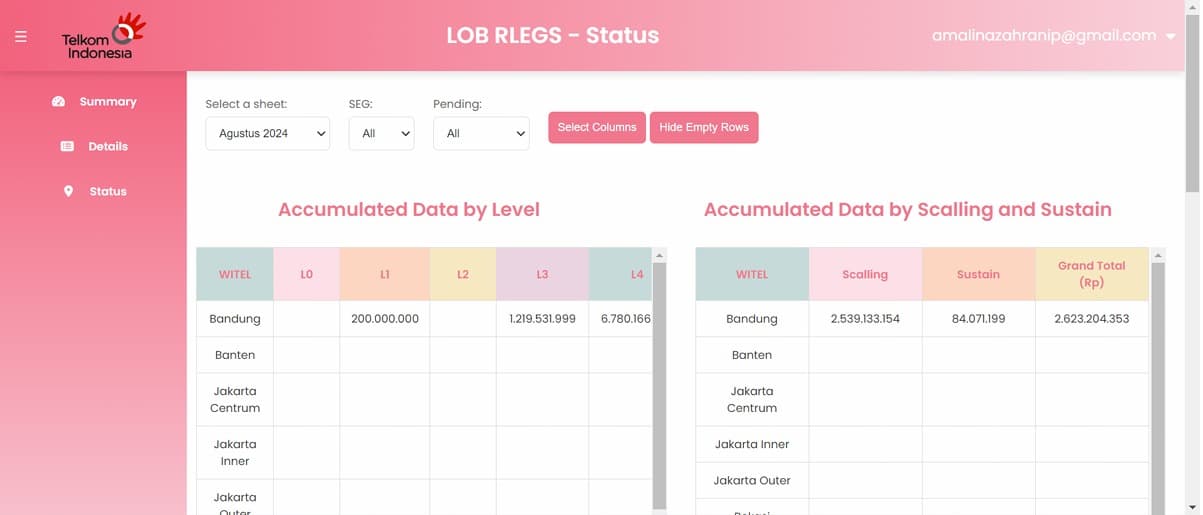
Dedicated interface for tracking billing progress and statuses across different mitigation stages.
What Changed for the Team
Before — Spreadsheet Workflow
- Manual data entry into shared Excel/Sheets files
- Emailing reports to stakeholders as static attachments
- No central source of truth — version conflicts common
- Charts built manually each report cycle
- No access control or audit trail
After — Dashboard System
- Live data synced automatically via Google Sheets API
- Dashboards accessible in-browser with role-based access
- Single source of truth with Firebase-backed security
- Auto-generated charts and KPIs updated in real time
- Structured audit trail and collaboration support
Outcomes and Business Impact
The dashboard systems delivered measurable improvements across the division's data operations.
Improved Operational Efficiency
Project and billing monitoring no longer required manual compilation — teams accessed current data instantly.
Reduced Manual Errors
Automated data flow from source to dashboard eliminated the data entry step that caused the most recurring errors.
Better Data Interpretation
Visual charts and KPIs made it significantly easier for managers to interpret trends and make faster decisions.
Improved Team Collaboration
Browser-based dashboards replaced file-sharing workflows, enabling simultaneous access with proper access control.
Enhanced Data Visibility
All stakeholders had a consistent, real-time view of project and billing status without requesting reports.
Stronger Data Security
Firebase authentication replaced open file sharing with role-based access and an audit trail.
Project Accessibility Note
The original dashboards and systems built during this internship operated on internal Telkom Indonesia company data within restricted internal environments. They are no longer publicly accessible. This case study documents the project through architecture descriptions, workflow explanations, and representative UI mockups. No proprietary or confidential data is included or referenced.
The most useful thing I built wasn't the dashboard — it was the habit of asking why a team was doing something manually before assuming they needed automation.
Early in the internship, I assumed the problem was a tooling gap. It turned out the real issue was process fragmentation — data existed, but it lived in the wrong places and in the wrong format. The dashboard only worked well because we spent the first phase understanding how the team actually operated day-to-day. That requirement gathering phase shaped every design decision downstream. It's what I'd prioritize first in any similar engagement.
Explore More Projects
Continue exploring selected data, analytics, and machine learning projects.
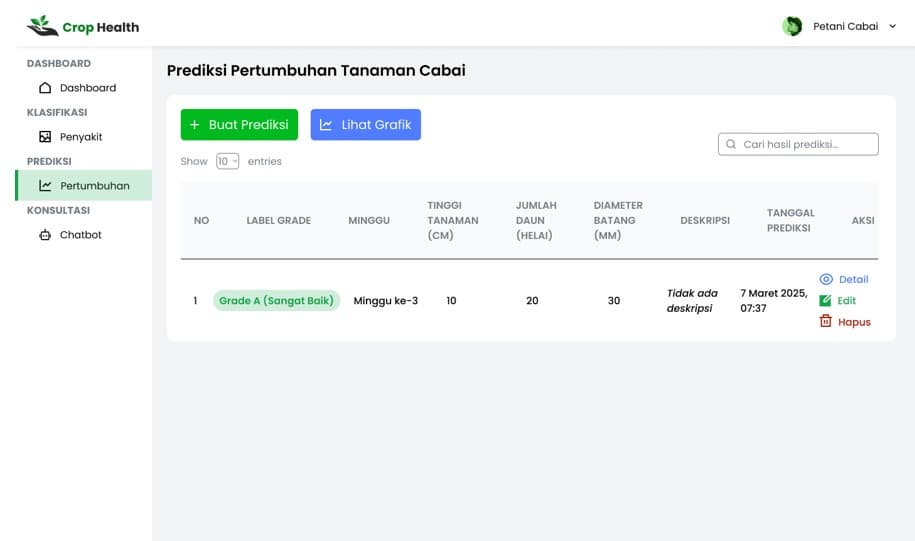
Chili Quality Classification
Built a Two-Stage XGBoost classification pipeline to automate agricultural quality control. Explored thorough Exploratory Data Analysis (EDA) and compared decision trees, RF, SVM, and MLP models before isolating XGBoost due to a superior ~83% accuracy and ~82% macro F1 score. Emphasized end-to-end data science workflows over simple model APIs.
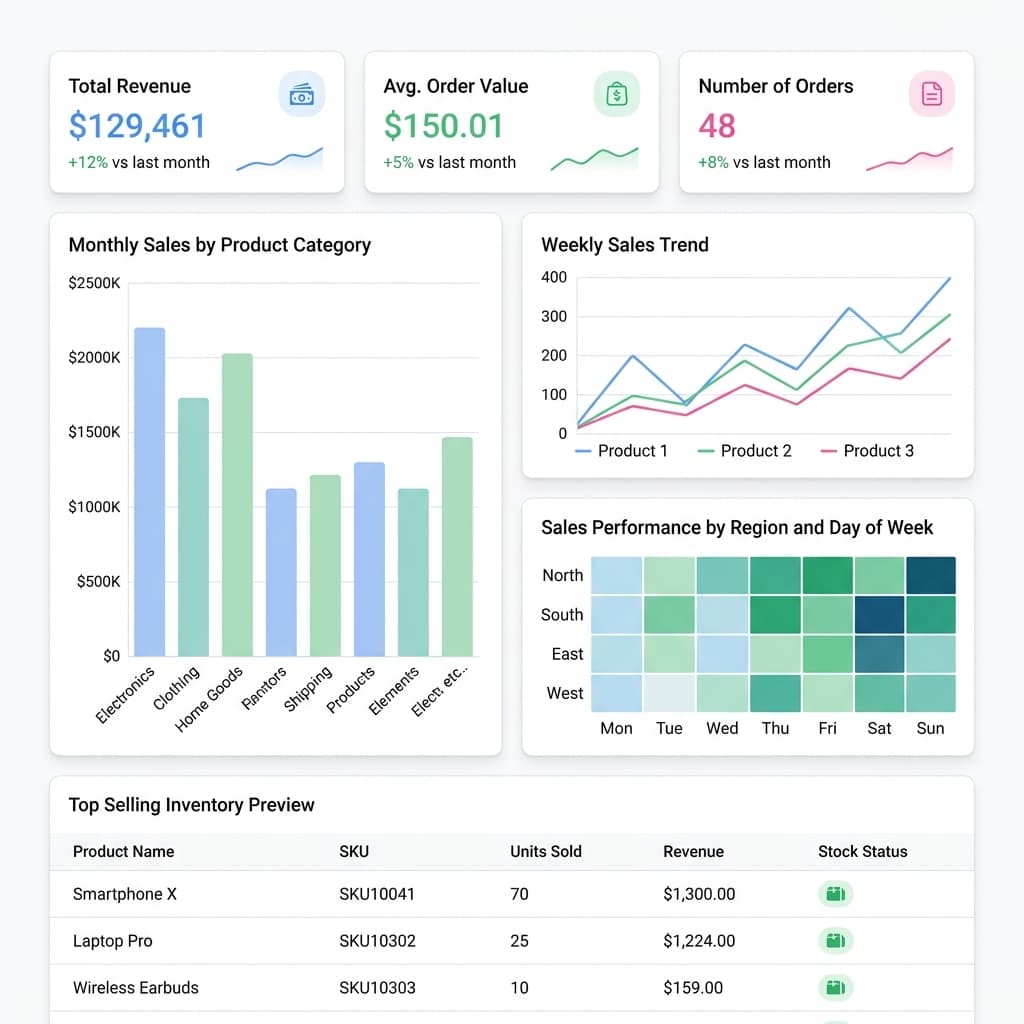
Retail Inventory Optimization & Demand Analysis
A SQL-based exploration into how inventory, demand forecasting, and sales interact, with a focus on identifying inefficiencies and turning data into actionable business insights.
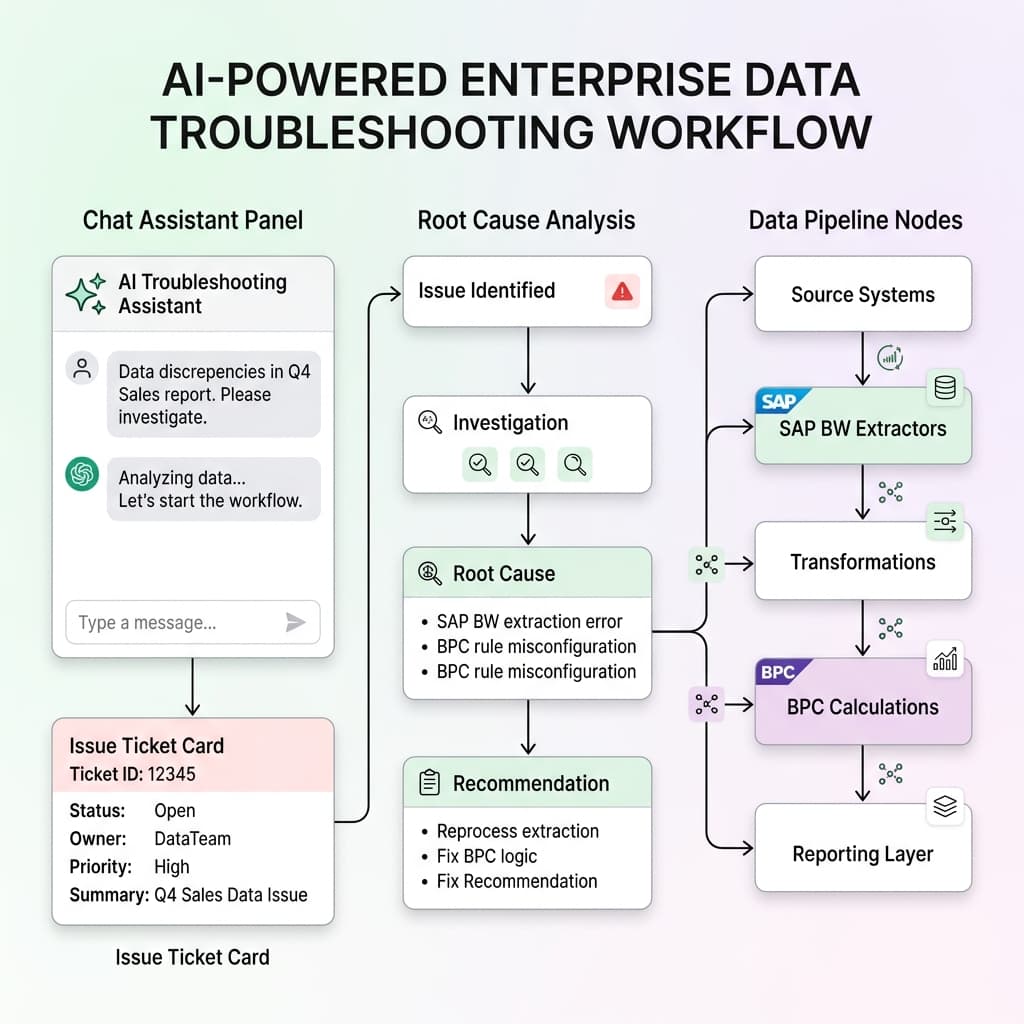
AI Assistant for Data Issue Troubleshooting
Mapped historical issue occurrences spanning SAP BW/BPC environments directly to logical root causes. This exploratory project explores how AI logic can improve analyst efficiency and institutional knowledge reuse within complex ETL layers.